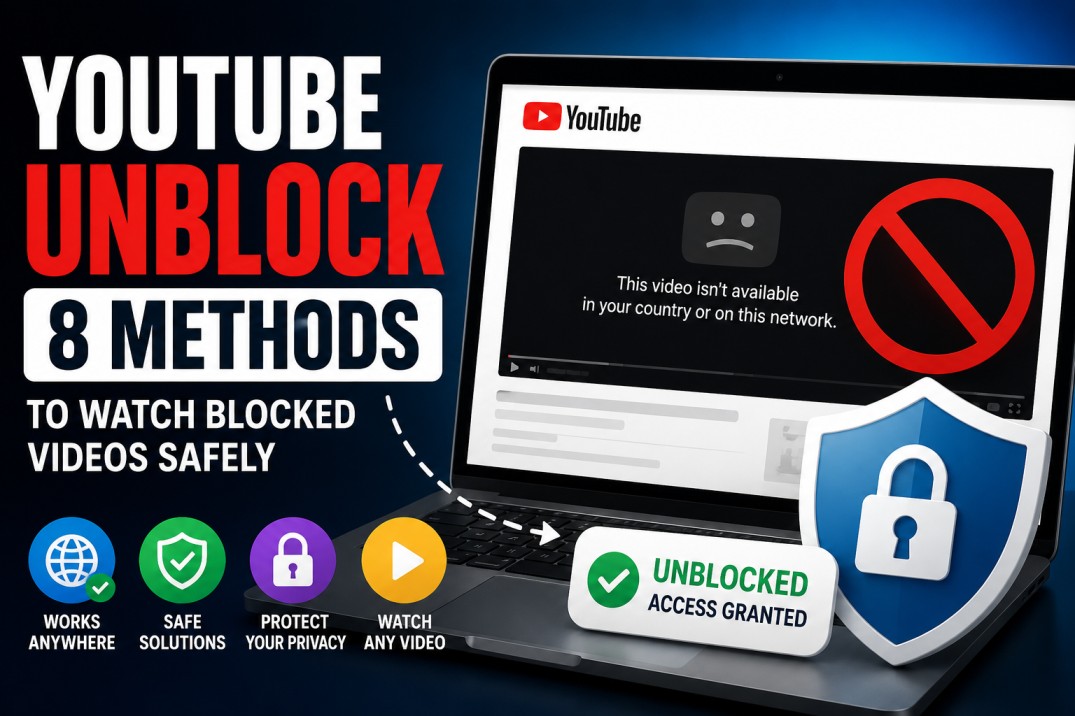
A youtube unblock search usually starts when a video refuses to load, and you just want a normal, safe way back in. Maybe you typed youtube unblocked because school Wi-Fi, office rules, Restricted Mode, account settings, or a regional block got in the way.
Then the screen says no.
Blocked by administrator. Video unavailable. Restricted Mode has hidden comments or content. This video is not available in your country. Sign in to confirm your age. Something went wrong.
That is where people start typing “YouTube unblock” into the search.
The problem is that many pages ranking for that phrase push readers toward sketchy proxy sites, copycat players, or “unblocked YouTube” mirrors that look harmless until they start opening popups, collecting data, or loading broken video pages.
So this guide takes a cleaner route.
We will look at what “YouTube unblock” actually means, why YouTube gets blocked, what you can safely try first, and when you should not force it.
Because yes, sometimes access can be fixed in two minutes. However, sometimes the block is there because of school rules, office policy, account age settings, copyright limits, or local law.
YouTube unblock means restoring access to a YouTube video or page when it is blocked by a network, device setting, region rule, browser issue, or safety filter. The safest fixes include checking the reason for the block, using approved access, switching accounts, reviewing Restricted Mode, and avoiding shady proxy mirrors. This guide explains how YouTube unblocked access works in real situations, without sending readers toward risky sites that can steal data or break rules.
What Does YouTube Unblock Mean?
YouTube unblock usually means getting access back when YouTube, a specific video, or a YouTube feature is unavailable.
That block can happen at several levels.
Your school or workplace may block YouTube on its network. Your browser may be stuck with bad cache or extensions. Your account may have Restricted Mode turned on. A video may be age-limited, region-limited, removed, private, or blocked because of copyright rules.
So, before you search for “youtube unblocked” and click the first strange mirror site, ask a better question.
What exactly is blocked?
If the entire YouTube website fails, that is different from a single missing video. If comments are hidden, that is different from a full access block. If the video opens on mobile data but not on office Wi-Fi, that suggests the network is probably the issue.
That one detail changes the fix.
Why YouTube Gets Blocked in the First Place
YouTube is huge, messy, useful, distracting, educational, and addictive all at once.
That is why different places treat it differently.
A school may block YouTube because students keep drifting into Shorts during lessons. A company may block it to save bandwidth or prevent people from watching non-work content. A library may filter it because of public access rules.
Parents may use filters because not every video, comment section, or recommendation is suitable for kids. Meanwhile, YouTube itself may limit access because of age checks, copyright, licensing, or regional availability.
None of these blocks feels the same from the user side.
You only see the wall.
But if you know which wall it is, you can stop wasting time on the wrong fix.
YouTube says Shorts now averages more than 200 billion daily views.
YouTube describes its audience as billions of monthly logged-in users.
YouTube is localized in more than 100 countries and across 80 languages.
Pew Research Center says roughly nine-in-ten teens report using YouTube.
Pew Research Center found that YouTube remains the most widely used online platform among U.S. teens, with nine-in-ten teens reporting they use it, which helps explain why blocked YouTube access often becomes a real school, research, and learning problem.
Safe YouTube Unblock Checks You Should Try First
Start with the simple fixes.
Reload the page. Then open the same video in another browser. If that works, clear cache and cookies in the broken browser, or disable extensions one by one.
Ad blockers, privacy extensions, script blockers, and old download extensions can all break YouTube in strange ways.
Next, check whether you are signed in to the correct Google account.
A school account, work account, child account, or supervised account may carry restrictions that your personal account does not have. Therefore, switching accounts can explain the problem quickly.
Then check Restricted Mode.
Restricted Mode can hide videos and comments that YouTube sees as mature or unsuitable for some viewers. It can also be locked by an administrator on managed devices.
If it is locked, do not fight the device. Ask whoever manages it.
That sounds less exciting than “youtube unblocked in one click,” but it is the correct path when the device belongs to a school, company, or parent setup.
YouTube Unblock Methods You Can Try to Get YouTube Unblocked
Not every block has the same fix.
Start with the clean methods first, then move down the list only if the problem persists.
Method 1 YouTube Unblock: Fix the Browser First
Use this when YouTube works somewhere else, but not in your current browser.
- Open the same YouTube video in another browser.
- Clear cache and cookies for YouTube.
- Disable extensions one by one, especially ad blockers, privacy tools, script blockers, and video download extensions.
If the video starts working after that, you did not need a proxy or VPN at all. The browser was the problem.
Method 2 YouTube Unblock: Check the Account
Use this when YouTube opens, but some videos, comments, or age-restricted pages are missing.
- Check if you are signed into a school, work, or supervised Google account.
- Sign out and test the video again.
- Try a personal account or private browser window if that is allowed.
Managed accounts can carry restrictions even when the device and network are fine.
Method 3 YouTube Unblock: Test Another Network
Use this when YouTube will not open at all.
- Try the same video on mobile data.
- Try home Wi-Fi or another trusted network.
- If YouTube works there, the original Wi-Fi is probably blocking it.
This tells you whether the problem is with YouTube, your device, or the network you are using.
Method 4 YouTube Unblock: Review Home Network Filters
Use this only if you control the network.
- Check your router settings.
- Look at parental control apps, DNS filters, firewall rules, and security software.
- Remove or adjust the YouTube block if it was turned on by mistake.
This is common at home. Someone blocks video sites once, forgets about it, and then every device starts acting broken.
Method 5 YouTube Unblock: Ask for Approved Access
Use this at school, work, or on a managed device.
- Copy the exact YouTube video URL.
- Send it to the teacher, manager, or IT team.
- Explain why the video is needed for class, training, research, or work.
This is not exciting, but it is often the cleanest fix. The admin may allow one video, one channel, or one embedded page without opening the entire YouTube site.
Method 6 YouTube Unblock: Use a VPN Carefully
Use this only on your own device and only when allowed.
- Choose a reputable VPN provider.
- Install the official app from the provider or app store.
- Connect to a server and open YouTube again.
A VPN can help when access is blocked by location or network routing. Still, it can break school or company rules, so do not use it on a managed network unless you are allowed to.
Method 7 YouTube Unblock: Use a Web Proxy With Caution
A web proxy loads YouTube through another website instead of opening YouTube directly.
- Paste the YouTube URL into the proxy page.
- Let the proxy try to load the video.
- Close it immediately if it asks for your Google password, browser notifications, downloads, or a “special player.”
That last point matters. A normal proxy should not need your Google login or permission to spam your browser.
Method 8 YouTube Unblock: Find the Same Video Somewhere Official
Sometimes the best YouTube unblock method is not YouTube at all.
- Search the video title in Google.
- Check the creator’s website, help center, course page, or blog.
- Look for a transcript, slides, embedded version, or official repost.
This works well for tutorials, product demos, lectures, webinars, and company videos.
If the content is important, do not waste twenty minutes fighting a blocked player. Find the official version that your network already allows.
Be Careful With “YouTube Unblocked” Mirror Sites
This is where many readers get burned.
A site calling itself “youtube unblocked” may not be YouTube at all. It may be a proxy wrapper, ad trap, copied interface, or page that loads video embeds through third-party scripts.
Some work for a while. Many break constantly. Others throw popups, fake download buttons, strange permission requests, or browser notifications you never wanted.
The biggest danger is not only that the video fails.
It is that you train yourself to ignore security warnings because you just want one clip.
So, as a rule, avoid sites that ask you to install extensions, allow notifications, download a “player,” paste your Google login, or click through aggressive ads.
No normal YouTube unblock fix should need your password outside Google.
Before trying any YouTube unblock fix, test the same video on another network or browser. That one check tells you whether the block is local, account-based, or tied to the video itself.
What Not to Do When You Need YouTube Unblocked
Do not install random browser extensions that promise full access.
Do not paste your Google login into fake YouTube pages.
Do not allow browser notifications from proxy sites.
Do not download “special players” from pages full of ads.
Do not assume a video is safe because it loads.
And, honestly, do not keep trying the same blocked link for twenty minutes.
If the content is important, find the legitimate route. If it is not important, move on.
| What You See | Likely Cause | Safer Fix |
|---|---|---|
| YouTube does not open on school or work Wi-Fi | Network policy or firewall rule | Ask for approved access to the needed video or channel |
| One video says unavailable | Removed, private, region blocked, or copyright limited | Find the creator’s official alternative or transcript |
| Comments or mature videos are hidden | Restricted Mode, age settings, or managed account | Review account settings or contact the device administrator |
| YouTube works in another browser | Cache, cookies, extension conflict, or browser bug | Clear cache and disable extensions one at a time |
Why “YouTube Unblock” Searches Can Be Risky
The phrase youtube unblocked looks simple in search results.
But the intent behind it is all over the place.
Some people want to bypass a school block. Some want a safe way to watch an educational video. Some are dealing with Restricted Mode. Some are trying to open YouTube on a broken browser. Some just want a mirror site because they do not care about risk.
That mixed intent makes the topic tricky.
For a serious site, the better content angle is not “here are ten proxy sites.” That kind of page ages badly and attracts exactly the wrong kind of clicks.
A better post explains the reasons, gives safe checks, warns against shady pages, and helps readers choose the right next step.
That is also why the focus keyword youtube unblock works better for a clean guide.
It catches the search demand without copying the sloppy behavior of pages that rank only by promising shortcuts.
Final Thoughts
A blocked YouTube video is frustrating, especially when the content is useful.
Still, the fastest fix is not always the safest one.
Start by checking what is blocked, where it is blocked, and whether the issue follows your account, browser, device, network, or the video itself.
Then use the proper route.
And if a random “YouTube unblock” or “YouTube unblocked” mirror asks for your login, notifications, downloads, or a special player, close it.
A blocked video is annoying. A compromised browser is worse.
What does YouTube unblock mean?
YouTube unblock means trying to restore access to YouTube or a specific YouTube video when it is blocked by a browser issue, account setting, network rule, Restricted Mode, regional restriction, or managed device policy.
What is the safest YouTube unblock method to try first?
The safest first step is to test the video in another browser, clear YouTube cache and cookies, and disable extensions that may break playback. This helps you rule out browser problems before trying more complicated methods.
Why is YouTube blocked on school or work Wi-Fi?
YouTube may be blocked on school or work Wi-Fi because of network rules, bandwidth limits, content filters, productivity policies, or managed device settings. If the video is needed for class or work, asking for approved access is usually the cleanest option.
Can a VPN help unblock YouTube?
A VPN can sometimes help when YouTube access is limited by location or network routing, but it should only be used when it is allowed. It may break school, workplace, or managed device rules, so it is not always the right fix.
Are YouTube unblocked proxy sites safe?
Some proxy sites may load YouTube through another page, but many are unreliable or risky. Avoid any proxy that asks for your Google password, browser notifications, downloads, or a special player.

Andrej Fedek is the creator and one-person owner of three blogs: InterCool Studio, CareersMomentum, and Bettegi. As an experienced marketer, he is driven by turning leads into customers with White Hat SEO techniques. Besides being a boss, he is a real team player with a great sense of equality.