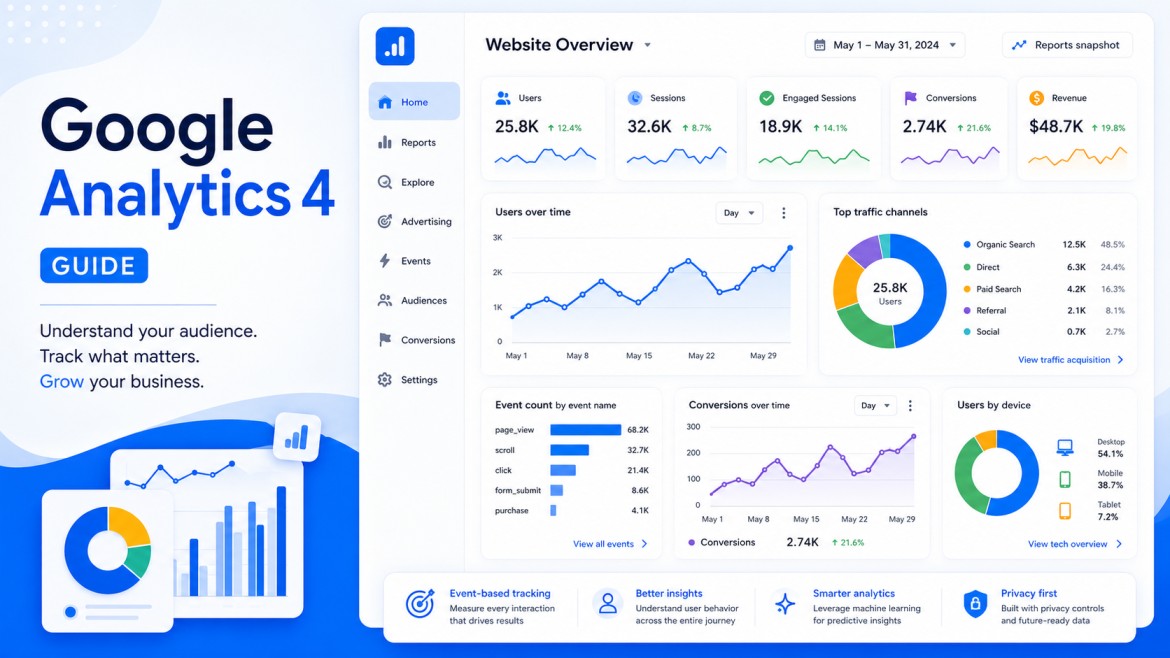
This Google Analytics 4 guide is for website owners who already have GA4 installed but still find the reports harder to use than expected. The platform records plenty of data, yet finding the numbers that actually help you judge traffic, campaigns, and visitor behavior takes some practice.
The standard reports will show you users, sessions, traffic sources, and events without much effort. The harder part is working out what those numbers actually say about your website. Did visitors find the page they needed? Where did they leave? Which campaign drove people to complete an important action rather than simply open the site?
GA4 approaches those questions differently from the old Universal Analytics platform. It collects website and app activity through an event-based model, while tools such as key events, explorations, audiences, and predictive features help you examine what users do across the journey. Google has also continued adding reporting, privacy, advertising, and AI-assisted features since GA4 became its main analytics platform.
This Google Analytics 4 guide explains how to set up a property, understand the data GA4 collects, and use its reports without getting overwhelmed by all the available metrics. The goal is not to track everything. It is to identify the actions that matter for your website and ensure GA4 records them correctly.
In this Google Analytics 4 guide, we focus on the parts of GA4 you are most likely to use rather than every report and setting available.
Google Analytics 4 is Google’s event-based analytics platform for tracking website and app activity. It records actions such as page views, clicks, form submissions, purchases, and other user interactions, while also providing reports, explorations, audiences, and predictive features. GA4 replaced Universal Analytics as Google’s main analytics system.
What Is Google Analytics 4?
Before working with a new data and reporting system, it helps to know what changed in the first place. GA4, or Google Analytics 4, is Google’s current analytics platform for websites and apps. It replaced Universal Analytics, although it works quite differently behind the scenes.
A new interface is only the most visible part of that change. Reporting is organized differently, and GA4 can track activity across several channels and show more of what happens between a first visit and a completed action. Sessions still appear in the reports, as they were in earlier versions, but they are no longer the main building block. GA4 is centered on user interactions and events.
In practice, almost any action can be recorded as an event. That might be a page view, a click, a form submission, a video play, or a purchase. You can then look at those actions together rather than treating each visit as a separate, disconnected session.
This gives advertisers more context when reviewing user behavior or judging their marketing efforts. GA4 may show that a campaign brought plenty of visitors, for example, while only a small number reached the page or action that actually counted.
Google also says that this version of the software product uses machine learning and artificial intelligence. Some of those features flag unusual changes or surface patterns. They are not a substitute for reading the reports properly, but they can point you toward something worth checking.
According to BuiltWith, around 13.1 million live websites currently use Google Analytics 4. GA4 is now Google’s standard analytics platform for websites and apps, with event-based tracking at the center of its reporting model. Even so, many site owners still need time to understand the reports, configure the right events, and separate useful data from background noise. This guide covers the setup process, the data GA4 collects, and the features you are most likely to use.
How to Get Started With Google Analytics 4
You can look around GA4 before you connect it to your own website. Google has a demo account with sample store data, so it is useful for testing the reports, filters, and layout without changing anything on a live property.
When you are ready to use it on your own site, open Google Analytics and choose the account you want to work with. Creating a new one is also an option.
- Create the property. Pick a clear name, then check the reporting time zone and currency before moving on.
- Complete the business details. Google asks for the industry, company size, and your reason for using Analytics. This mainly shapes the recommended setup.
- Open a web data stream. Add the website address and a stream name. This connects the new software solution to the site you want to measure.
- Place the Google tag on the website. GA4 gives you a measurement ID that starts with “G-.” You can install it with Google Tag Manager, through a CMS plugin, or directly in the site code.
- Check Realtime after visiting the site. Wait a moment, then see whether your visit appears. If nothing shows up, the tag still needs attention.
A basic setup will already record some activity, including page views and several enhanced measurement events. Still, that does not mean GA4 is tracking the actions that matter most to your business.
Before you create a process flow for reporting, write down the actions that show real interest. Depending on the site, that could be a submitted form, a purchase, a new account, a download, or a booked call. Otherwise, you may collect plenty of data without seeing whether visitors are doing what you hoped they would do.
Setup Assistant is still there after the installation. Open it later to check data collection, audiences, Google Ads connections, key events, and anything you left unfinished the first time.
What Data Can GA4 Receive?
The next part of this Google Analytics 4 guide looks at the data behind those reports and how GA4 organizes it.
A visitor lands on the site. Maybe they read one page and leave. Maybe they click through three more, watch a video, fill out a form, or buy something. GA4 can record each of those moments and connect them to the source that brought the visitor in. That gives you something more useful than a traffic total when reviewing marketing or comparing advertising campaigns.
GA4 organizes this information at several levels:
- Events cover individual actions. Opening a page is an event. So is clicking a link, starting a video, downloading a file, submitting a form, or completing a purchase. You choose which of those actions deserve closer attention.
- Sessions put a visit around those events. They show when the activity began and whether the person arrived through search, an ad, an email, another website, or a direct visit. Several events may happen during the same session.
- User data looks at a person across multiple visits. A first-time visitor may leave and return several days later, before doing anything important. GA4 can help you see that broader path rather than treating both visits as unrelated.
This is where the reports can become revealing. The channel bringing the most visitors is not always the one bringing the best visitors. Ten people from one source may produce more sales or inquiries than a hundred people from another.
Product prices can complicate that comparison. A campaign promoting a low-cost item cannot always be judged in the same way as one promoting an expensive service. When prices change regularly, the offer can be kept organized with a price list maker software and reviewed beside the GA4 results.
What innovations does Google Analytics 4 have?
For marketers and other professionals who already have experience using Universal Analytics, it is also important to be aware of platform updates. To understand what they consist of, it is worth comparing the new version with the UA service. Let’s consider several criteria for doing this.
Improved management of identification processes
The updated version has improved technology based on Google Signals. The essence of the function is that it can identify the user without compromising their privacy. Additionally, the platform uses a traditional indicator that is also available in Universal Analytics. It assigns each visitor a certain number that is used to distinguish between all users who come to the site.
Accounting for events
A key aspect of how Universal Analytics works is page views. GA4 uses a slightly different approach. The system focuses on events. Thanks to this, marketers manage to identify user touch points and specifics of interaction with an application or web resource. Demographic characteristics, engagement rate, visit time, and attribution can be captured in the process.
Improved control
The new platform opens up more opportunities for marketers to control data and processes. Google Analytics 4 has the tools you need to customize your dashboard based on the data and digital marketing metrics that matter to your business. An additional advantage is the ability to integrate with other services to better display the received information.
Ability to create predictive statistics
Forecasting behavioral aspects is an important factor in the development of any business. GA4 also helps with this task. The platform provides access to the following indicators:
- Projected income
- The probability of outflow
- Probability of making a purchase
This information can serve as the basis for forecasting and adapting the marketing strategy to future user trends. Additionally, incorporating web3 data analytics can further enhance these predictive capabilities by leveraging decentralized data sources for more accurate and secure insights.
Conclusion
GA4 is most useful when you stop treating traffic as the final result. A visit only tells you that someone arrived. The events that follow tell you whether the page, campaign, or offer did its job.
You may find that a smaller traffic source drives more sales than a larger one, or that a popular page sends almost no one further into the site. Those are the details worth following.
That is the real value of Google Analytics 4. It gives you a way to connect visits with actual behavior and make decisions based on what people did, rather than from traffic numbers alone.
The main point of this Google Analytics 4 guide is simple: traffic numbers only become useful when you connect them with what visitors actually do.
What is Google Analytics 4?
Google Analytics 4, or GA4, is Google’s analytics platform for websites and apps.
It records activity through events, including page views, clicks, form submissions, purchases, and other user actions.
How is GA4 different from Universal Analytics?
Universal Analytics organized much of its reporting around sessions and page views.
GA4 places events at the center, so you can examine individual actions and the wider path a visitor takes across a website or app.
What does GA4 track automatically?
A standard GA4 setup records page views and basic session data.
Enhanced measurement can also track actions such as scrolls, outbound clicks, site searches, video engagement, and file downloads when those options are enabled.
Do I need Google Tag Manager to use GA4?
No. You can install the Google tag directly in the site code or through an integration provided by your CMS.
Google Tag Manager becomes useful when you want more control over custom events, marketing tags, and tracking changes.
Which GA4 metrics should I check first?
Begin with traffic acquisition, landing pages, engagement, and the events tied to your website goals.
A smaller set of relevant metrics will tell you more than a crowded dashboard filled with numbers you never use.

Andrej Fedek is the creator and one-person owner of three blogs: InterCool Studio, CareersMomentum, and Bettegi. As an experienced marketer, he is driven by turning leads into customers with White Hat SEO techniques. Besides being a boss, he is a real team player with a great sense of equality.