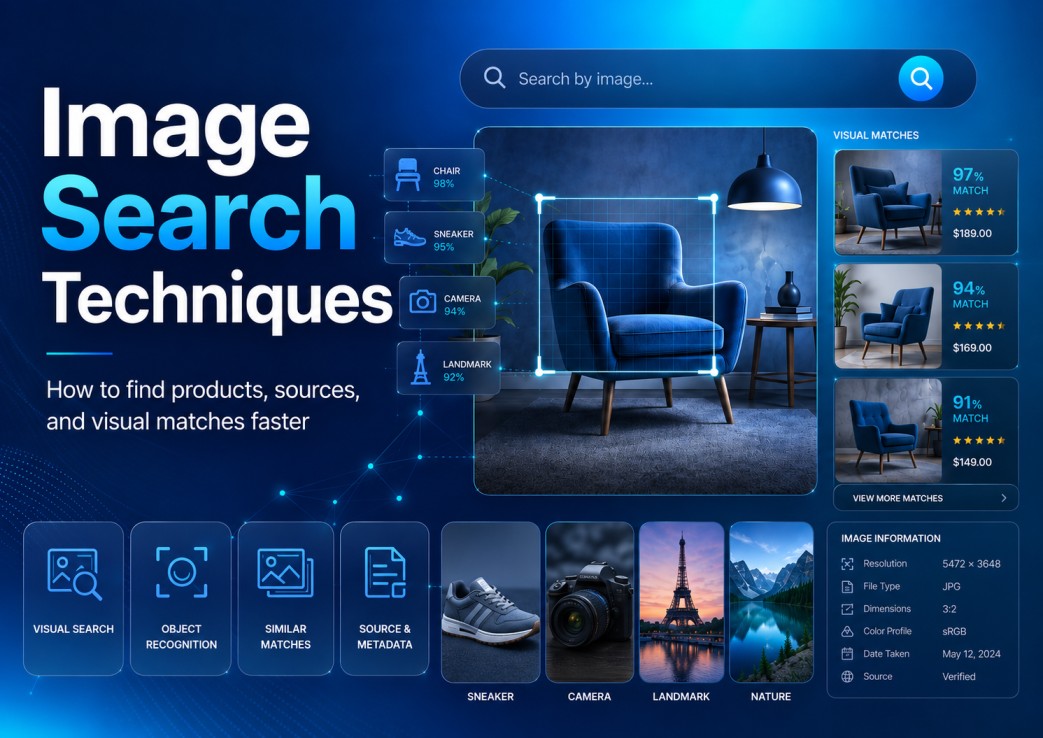
Typing the right words is not always enough anymore. Sometimes you do not know the product name, the building location, the original artist, the plant species, the sneaker model, or whether that “viral” photo is even real. That is where image search techniques start doing real work.
Google says Lens is now used for more than 20 billion visual searches every month, and one in four Lens visual searches has commercial intent. That tells us something simple: people are not only searching with words; they are pointing their camera at the world and asking search engines to explain it.
Google’s visual search data also shows why this is not just a shopping trend. It is a behavior shift.
So, if your site uses images, sells products, publishes tutorials, reviews tools, covers local topics, or competes in Google Images, you cannot treat image search as decoration. You need a method.
Image search techniques help you find products, people, places, sources, and visual matches when text search gives weak results. They include reverse image search, Google Lens, object cropping, metadata checks, color based searches, and visual comparison across trusted platforms. The best results come when you combine image clues with precise search terms, source checks, and context instead of trusting the first matching picture.
What Are Image Search Techniques?
Ever had a photo and no clue what to type into Google?
That is the whole problem. You see the thing clearly, but you do not know its name. A lamp, a sneaker, a plant, a hotel lobby, a logo on someone’s jacket, whatever.
Image search techniques are the little moves you use to get from “I have this picture” to “now I know what it is.”
Sometimes that means uploading the full image. More often, it means cropping one tiny detail and searching that instead.
A chair from a YouTube video can lead you to the exact model. A street sign in the corner of a travel photo can reveal the city. An old viral image can suddenly turn out to be from five years ago and nowhere near the place mentioned in the caption.
So no, the point is not only to find “similar images.” That is usually just the first clue.
The better question is: where did this image come from, what does it show, and what detail can prove it?
That is why image search works best when you treat it less like a button and more like a small investigation.
Image Search Techniques That Work in Real Searches
Most bad image searches fail before the tool even starts working. People upload the whole screenshot, click the first match, and then act surprised when the result is vague.
Remove noise and focus on the object, logo, label, face, sign, or pattern.
Use Lens or reverse image search to collect similar matches and possible sources.
Search visible text, colors, dates, model numbers, places, and product details.
Compare dates, image quality, first appearances, seller pages, and trusted sources.
A better search is slower for the first ten seconds, but faster overall. You look for the strongest clue in the picture, isolate it, then add words only when the visual result starts pointing in the right direction.
That is how these image search techniques work in real life. Not as magic buttons, but as small moves that help you get from “this looks familiar” to something you can actually verify.
Reverse Image Search
Reverse image search is the first move most people know.
You drop in a picture, or paste the image URL, and search starts looking for where that visual has shown up before.
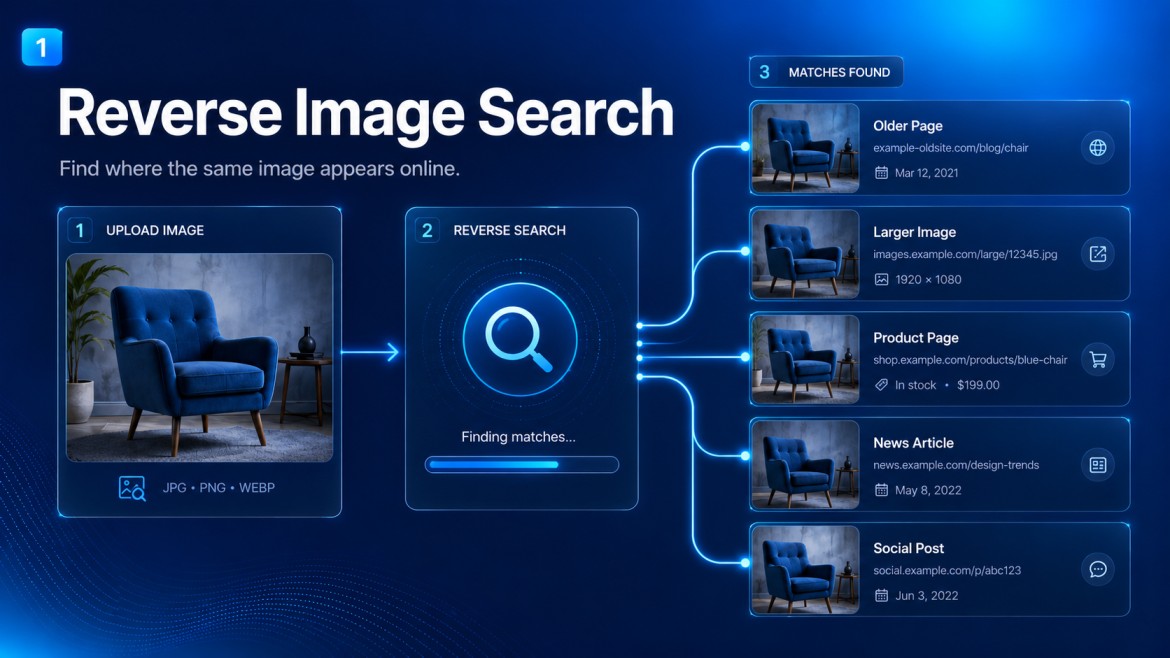
Sometimes it finds the same photo on an older page. Sometimes it finds a bigger version, a product listing, a news article, or some random social post that copied it without context.
That first result is not always the answer, though. Treat it like a lead, not proof.
However, reverse search alone can be lazy if you let it be.
A screenshot of a chair might bring back fifty brown chairs. A cropped watch might return every watch with a dark dial. A hotel photo might match travel blogs, booking sites, Pinterest boards, and spam pages before you find the real location.
So, after the first pass, add words.
Search the image together with details such as material, color, city, brand clue, visible text, room style, object shape, date, or logo fragment. That is where the better results usually appear.
For example, do not search only with a picture of a lamp. Search the image, then add “brass mushroom table lamp ribbed glass” if that is what you see.
The search engine gets a visual clue and a language clue. Together, they cut through the noise.
Crop Before You Search
Most people upload the full image and accept bad results.
That is a mistake.
Do not upload the whole screenshot first. Crop the rarest clue, run the search, then add one or two exact words from what you see.
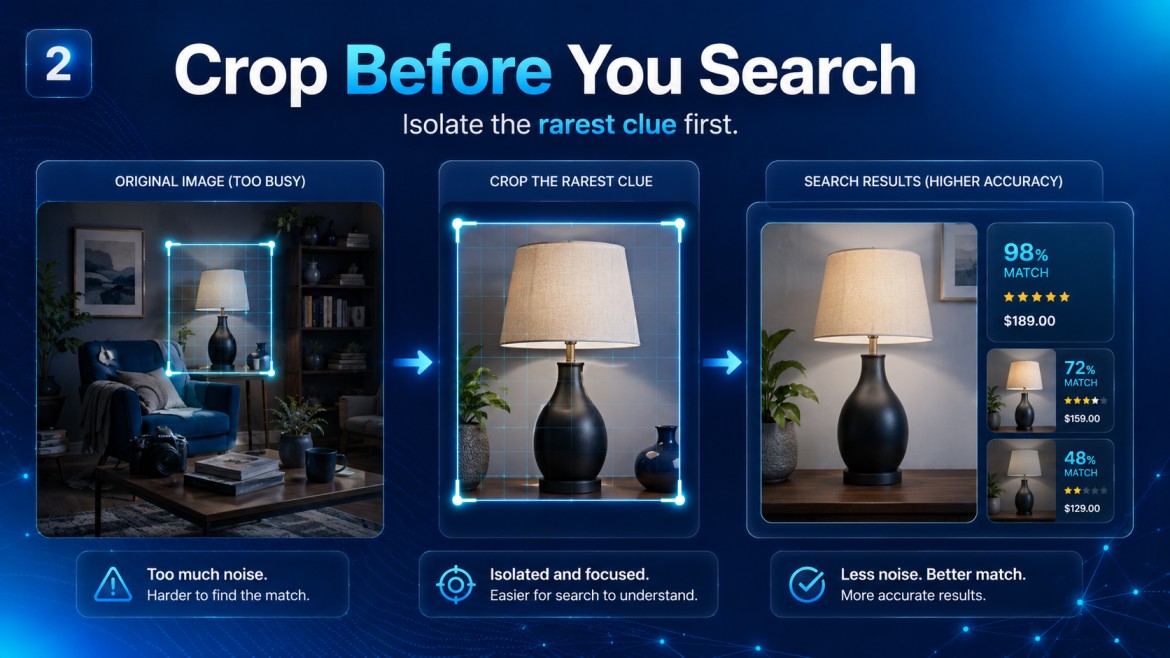
If the image has five objects, three people, a background, text, shadows, and a logo, the search engine may focus on the wrong thing. Crop the exact object you care about.
Looking for a jacket from a street photo? Crop only the jacket.
Trying to identify a restaurant from a travel reel? Crop the sign, the menu board, the wall art, or the window reflection.
Checking whether a photo is stolen? Crop the most unique part, not the generic face or sky.
Small visual clues often beat the whole image because the search tool stops guessing what matters.
This is one of those image search techniques that feels too simple until it saves you twenty minutes.
Use Google Lens for Objects, Places, Shopping, and Text
Google Lens is especially useful when the image contains something concrete.
That can be a product, plant, landmark, book cover, animal, food item, label, or visible text. Lens does not only look for exact matches; it tries to understand objects inside the photo.
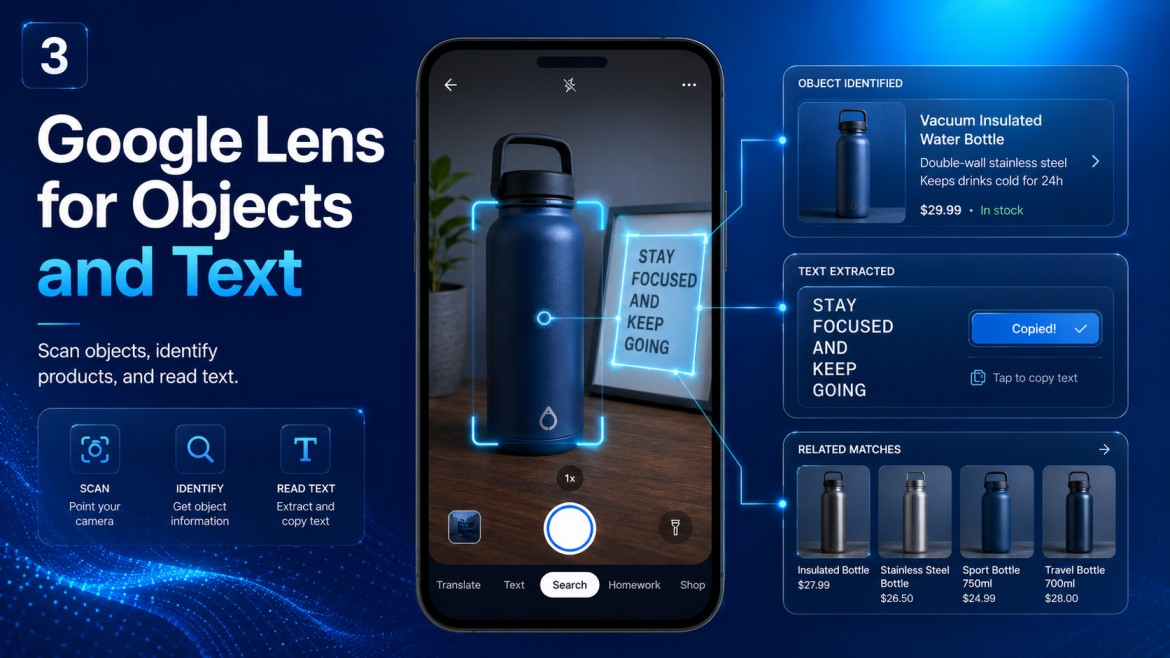
For shopping, that means you can point it at a shoe, chair, bag, lamp, watch, or jacket and find similar products. For travel, you can scan a building, monument, or street sign and get location clues.
For work, you can use Lens on screenshots, charts, invoices, packaging, labels, and documents.
There is also a quiet bonus: Lens can read text from images. If you have a screenshot with a phrase, product code, or tiny label, copy the text and run a normal search with it.
That two step move is powerful. Image first, text second.
Real Life Sample 1: Finding a Product Without Knowing the Brand
Say you see a desk chair in a YouTube video.
You like the shape, but the creator never mentions the brand. A normal search for “black ergonomic chair” gives you endless junk.
Here is the better process.
Take a screenshot where the chair is clear. Crop only the chair, not the desk or background. Run it through Lens or reverse image search.
Then add visible features to the search: “black mesh chair headrest white frame” or “ergonomic office chair split back.”
Now check if the same model appears across multiple retailers or review pages.
If every result uses the same stock image but different brand names, be careful. It may be a generic private label product, not a real brand with reliable support.
Real Life Sample 2: Checking Whether a Viral Image Is Old
A storm photo appears on social media today.
The caption says it is from New York, June 2026. It looks dramatic, but dramatic photos travel badly online.
Save the image or copy the image address. Run a reverse image search.
Then sort your thinking by time. Did the same picture appear in 2021? Was it used in another country? Does a news site show the original photographer?
Next, crop distinctive details.
Maybe there is a road sign, building name, skyline shape, or license plate style. Search those clues with the image.
This is not just fact checking for journalists. It helps anyone avoid sharing fake context.
Real Life Sample 3: Finding Better Image Sources for Content
Let’s say you are updating an old blog post and the featured image looks cheap.
You can use image search to find the original source, similar compositions, or better visual ideas before choosing a new image.
Search with your current image, then study what appears in higher quality versions.
Do not copy protected images. Instead, use the results to understand composition: angle, lighting, object placement, background style, and what Google seems to associate with that topic.
Then create or license a better image that fits the search intent.
For SEO work, this matters because images are no longer isolated from content quality. A weak, generic image can make a good article look abandoned.
Use Metadata When You Have the Original File
Metadata is not magic, but sometimes it gives useful hints.
Photos may include camera model, creation date, dimensions, editing software, GPS location, or file history. Many platforms strip this data, but original files often keep some of it.
For verification, check metadata before you trust the caption.
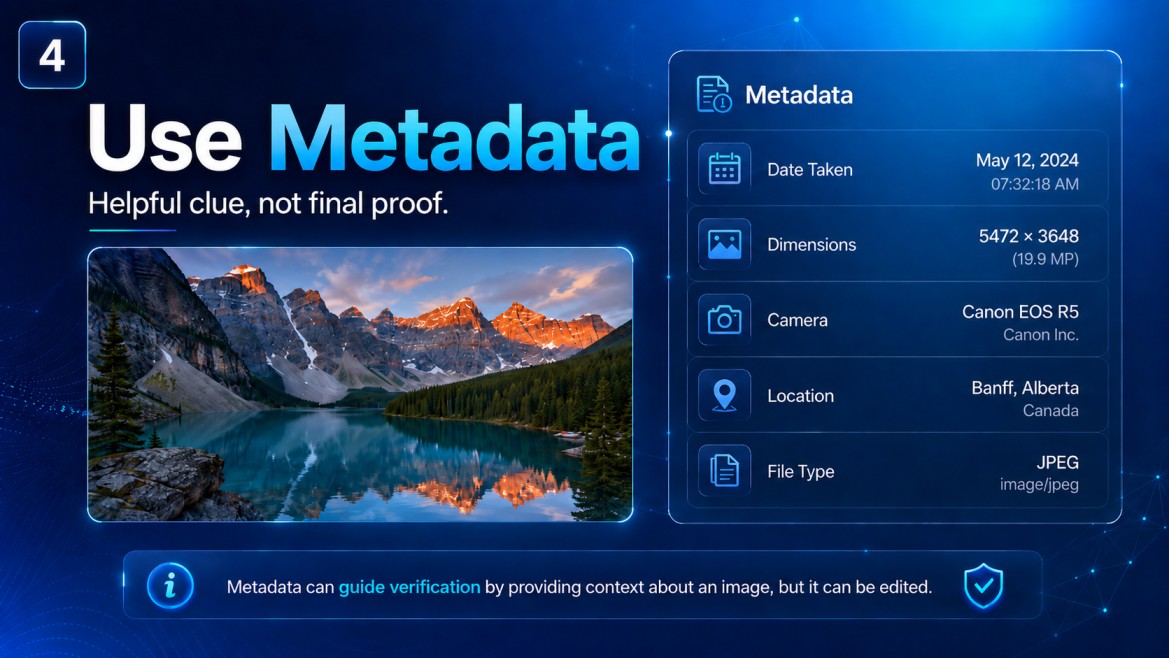
A photo claiming to show a new office opening may have a creation date from three years ago. A “real” product shot may show editing software instead of camera data.
Still, never treat metadata as final proof.
It can be removed, changed, or faked. Use it as one clue beside reverse search, source history, and visual details.
Compare Colors, Shapes, and Backgrounds
Visual search tools are good, but they can still overmatch.
That means they may show results that look close but are not the same. For product research, small differences matter.
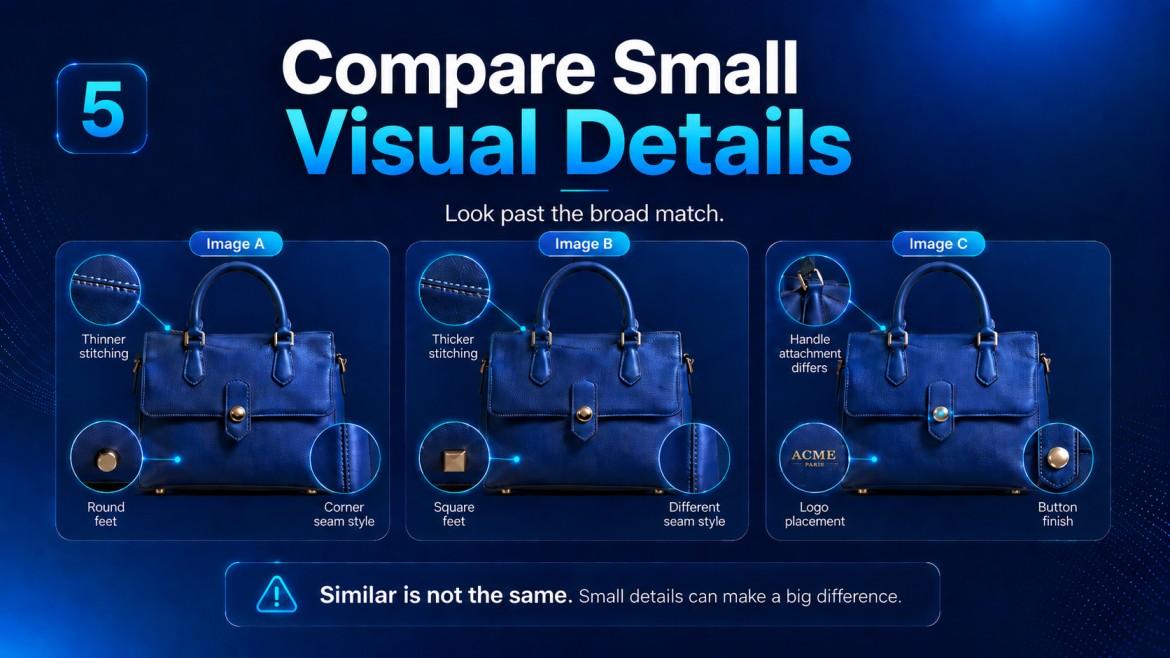
Check the buttons, seams, handles, texture, stitching, lens shape, logo position, port layout, shadows, packaging, and background.
For furniture, look at leg angles, screws, fabric grain, and dimensions.
For gadgets, look at ports, camera placement, bezels, and button spacing.
For fashion, look at stitching, zipper pulls, collar shape, and tag placement.
This slower comparison protects you from fake matches and wrong product names.
Use Search Operators to Filter Image Results
Sometimes the visual result is close, but the web results are chaotic.
That is when classic search operators help.
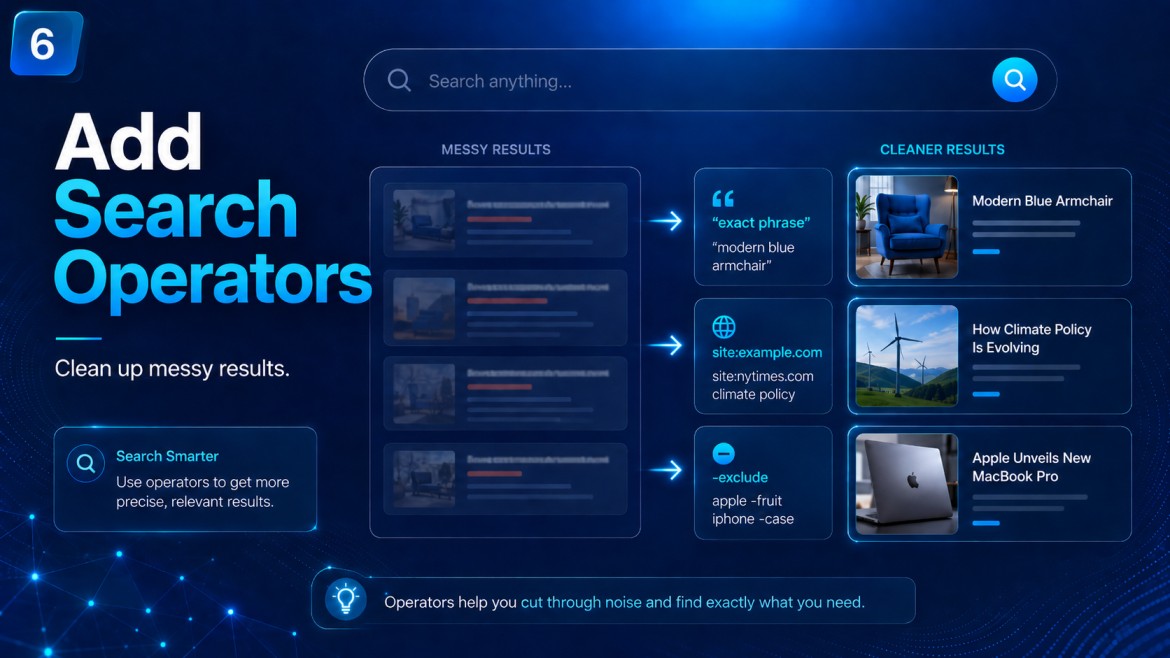
Use quotation marks around visible text from the image. Search a product code exactly. Add a site name if you suspect the original source. Exclude noisy terms if one wrong brand keeps appearing.
For example:
“AX-2049” “linen jacket”
“blue ceramic lamp” “ribbed shade”
“conference badge” “Berlin” “2026”
Search operators are not old school. They are how you clean up image results when AI matching gets too broad.
| Search Goal | Best Technique | What to Watch |
|---|---|---|
| Find a product name | Crop object, use Lens, add color and material words | Private label copies and wrong brand matches |
| Verify a viral image | Reverse search, compare oldest appearances, crop landmarks | Old photos reused with new captions |
| Identify a place | Search signs, architecture, menus, road markings, skyline clues | Tourist photos copied across many pages |
| Improve content images | Study image SERP patterns, then create or license better visuals | Using copied images without rights |
How Image Search Techniques Help SEO
For site owners, image search is not only a research tool.
It also shows you how search engines read visual content. If your article image is vague, overused, poorly named, badly compressed, or missing helpful alt text, you are making the machine guess.
That does not mean stuffing keywords into alt text.
It means describing the actual image in plain words. If the image shows “person using Google Lens to identify a vintage chair,” say that.
A file named “IMG_8821.jpg” tells search engines nothing. A file named “image-search-techniques-product-research.jpg” gives a cleaner signal.
Also, match the image with the surrounding paragraph.
If your section explains reverse image search, the nearby image should show reverse search or visual comparison. Do not place a random laptop photo there because it looks “techy.”
That trick worked years ago. Now it just looks thin.
What Is AI Image Search?
AI image search is not just “find this picture again.”
It looks at the image and tries to guess what matters inside it. Shape, color, text, objects, background, product style, even small layout clues.
That can be useful fast.
You show it a chair, and it may not only return chairs. It may notice the curved back, pale fabric, wooden legs, and bring you closer to the actual model.
But here is the catch. Close is not the same as correct.
AI can mix up similar products. It can read a copied image as the original source. It can also miss the tiny detail that changes everything, like a logo position, button shape, or old date in the corner.
So do not use it like a judge.
Use it like the first person in the room who says, “Maybe it is this.” Then you check.
Open the source. Compare the dates. Zoom into small details. Look for the same image on older pages.
That matters when you are checking a product, a news photo, a medical image, a local business picture, or anything people might trust too quickly.
For shopping, one bad match can mean buying the wrong version. For content, it can mean using a photo with the wrong story attached to it.
AI image search is useful. Just do not let it finish the job alone.
Meanwhile, McKinsey has written about how AI is changing the way shoppers discover and buy products, especially as stores, digital platforms, and search tools blend into one journey. Visual discovery sits right in the middle of that change.
Common Mistakes People Make
The first mistake is trusting the top result.
Top does not always mean original. It may only mean popular, well indexed, or copied many times.
The second mistake is searching the entire image when one detail matters.
Crop first, then search. After that, widen the frame if needed.
The third mistake is ignoring text inside the image.
A tiny product code, street name, menu item, jersey number, or brand mark can solve the search faster than the visual match.
The fourth mistake is using image search only for shopping.
Yes, shopping is big. Still, image search also helps with research, safety checks, content updates, source verification, local discovery, and digital PR.
A Better Routine You Can Use Today
Here is a simple routine that works across most cases.
First, save or screenshot the image in the best possible quality. Blurry files produce weaker matches.
Next, crop the strongest clue.
Then run a visual search and open several results, not just one. Compare whether the same image appears on trusted pages, marketplaces, blogs, forums, or social posts.
After that, collect words from the image.
Search those words with the visual clue. If needed, add a date, place, model number, color, material, or source type.
Finally, ask one question before you trust the answer: does this match explain the whole image, or only part of it?
That question catches many bad results.
Final Thoughts
Good image search feels like curiosity with a system.
You start with what you can see, then you reduce noise, add words, check sources, and compare the details nobody notices at first glance. That is where image search techniques become more than a neat trick.
They help you buy smarter, verify faster, research deeper, and create better content.
And honestly, that is the real shift. Search is no longer only something you type.
Sometimes, the best query is already sitting in the picture.
Suggested anchor: Google Analytics 4 guide
Use it where the article mentions SEO signals, user behavior, or measuring how visitors find visual content.
Suggested anchor: career research tools
Use it where the article mentions checking professional photos, company pages, job posts, or source verification.
What are image search techniques?
Image search techniques are practical ways to find, verify, or identify something by using a picture instead of only typing words. They can include reverse image search, cropping visual clues, using Google Lens, reading text inside images, checking older appearances, and comparing small details.
Which image search technique should I try first?
Start with the clearest part of the image. In many cases, cropping one object, logo, label, or sign gives better results than uploading the full screenshot because the search tool has less noise to process.
Is reverse image search the same as AI image search?
Not exactly. Reverse image search looks for the same or similar image across the web, while AI image search tries to understand what appears inside the picture, such as objects, colors, text, shapes, and product style.
Can image search help with SEO?
Yes, image search can help you understand how search engines read visual content. Better file names, useful alt text, original images, and relevant surrounding text can make your visuals easier to understand and more useful for readers.
Why do image search results sometimes show the wrong match?
Image search tools can confuse similar objects, copied photos, stock images, and reused product pictures. That is why you should compare small details, check dates, inspect the source page, and treat the first result as a clue rather than proof.

Andrej Fedek is the creator and one-person owner of three blogs: InterCool Studio, CareersMomentum, and Bettegi. As an experienced marketer, he is driven by turning leads into customers with White Hat SEO techniques. Besides being a boss, he is a real team player with a great sense of equality.