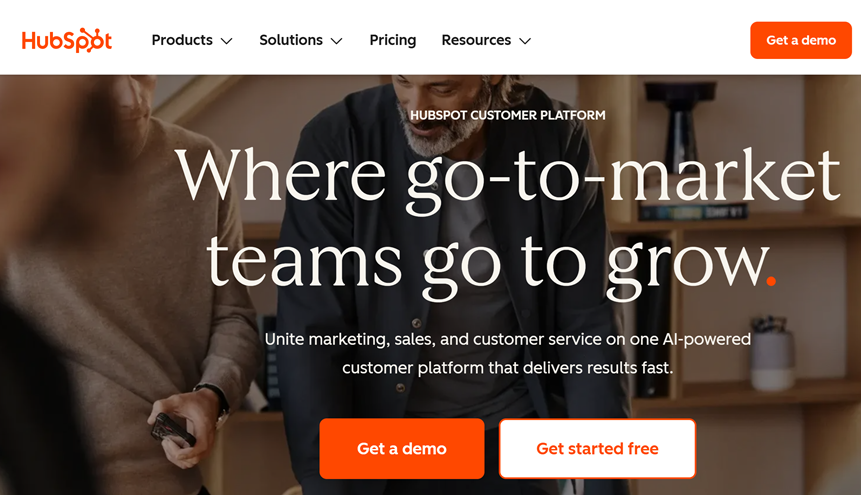
HubSpot Starter is built for small teams that want one place to manage contacts, forms, emails, and basic automation without stitching together five different tools. In this HubSpot Starter review, I’ll show what you get, who it’s best for, and where it can feel limited.
HubSpot Starter is a practical “stack simplifier” for small businesses, solo founders, and lean agencies that need a clean CRM + marketing basics in one place. If your biggest issue is missed follow-ups, messy contact data, or disconnected tools, HubSpot Starter is worth testing.
Table of Contents
What is HubSpot Starter
HubSpot Starter is the entry-level way to run a CRM and essential marketing tools in one connected platform. The main promise is simple: fewer tools, fewer sync problems, and a clearer picture of each lead.
Instead of exporting lists between apps, you keep contacts, email activity, and lead capture under the same roof. That alone can reduce the “where is this lead?” chaos.
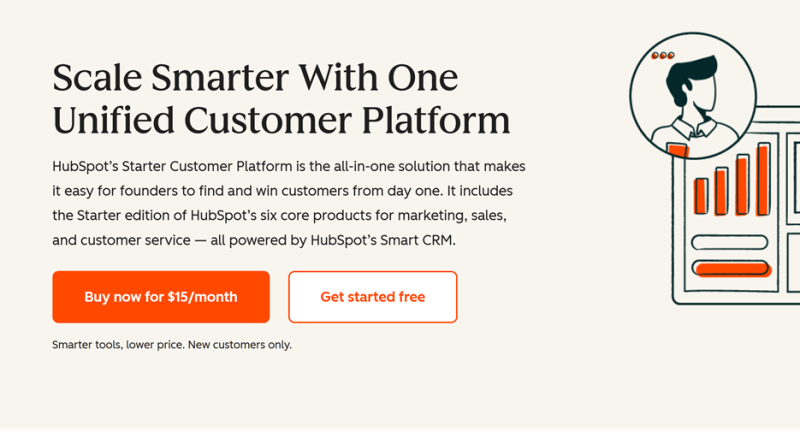
Who HubSpot Starter is for
HubSpot Starter fits best if you have steady inbound leads, but your follow-up is inconsistent. It’s also strong if you’re running outreach, newsletters, or basic funnels, and you want cleaner segmentation.
It’s a smart choice for agencies managing leads and client conversations without turning setup into a project. It also works for startups that want a real CRM early, not a spreadsheet that becomes a nightmare later.
Who should skip HubSpot Starter
If you need deep, complex automation from day one, you may outgrow HubSpot Starter quickly. If you require extreme customization or highly specialized workflows, a niche stack might be a better fit.
Also, if your core problem is “we don’t have an offer,” no platform will fix that. HubSpot Starter amplifies clarity, but it can’t invent it.
What you get inside HubSpot Starter
The center of HubSpot Starter is the CRM, where your contacts and activity live. That’s your source of truth, which makes everything else less fragile.
You also get tools for email marketing, lead capture, and simple automation. The goal is a smooth loop: capture a lead, store it properly, follow up consistently, and measure what happened.
Most small businesses don’t fail because they lack effort. They fail because operations become messy, and the mess steals time.
HubSpot Starter helps by reducing manual work like copying data, rebuilding lists, and losing conversation history. When the system is connected, fewer things break.
Pricing mindset (how to think about “starter”)
Don’t compare HubSpot Starter to a cheap tool and call it expensive. Compare it to your full stack plus the time cost of keeping everything aligned.
If HubSpot Starter replaces two or three subscriptions and removes the need for weekly cleanup, it can be a net win. The real ROI is fewer missed leads and faster follow-up.
If you want to confirm what’s included, check the current plan details.
The fast setup plan (Week 1)
Day 1 is for structure, not perfection. Create a simple pipeline and only the fields you will actually use.
Day 2 is lead capture. Build one form and make sure submissions create or update contacts properly.
Day 3 is a follow-up. Write a short email sequence or a basic process to ensure every lead receives a response.
Day 4 is visibility. Set up one report or dashboard to check weekly so you stop guessing.
Day 5 is testing. Submit the form yourself, verify the contact record, confirm the follow-up triggers, and adjust the flow.
HubSpot Starter in real life: three common use cases
Use case one is “inbound leads, inconsistent replies.” HubSpot Starter is great when you want fewer leads slipping through cracks.
Use case two is “tool sprawl.” If you have a CRM, an email tool, a form tool, and a landing page tool that don’t match, HubSpot Starter can simplify the stack.
Use case three is “small agency operations.” You want one place to track contacts, conversations, and campaign activity without building a custom system.
Where HubSpot Starter can feel limited
HubSpot Starter is designed to be approachable, so it won’t have every advanced feature you might want later. If you need highly complex automation paths, you’ll eventually look upward.
It’s also not a magic “growth” button. You still need consistent lead handling and a clear offer for HubSpot Starter to shine.
HubSpot Starter vs Alternatives
Most comparisons focus on feature checklists. A better comparison is whether the tool reduces operational friction for your specific workflow.
If you mainly need a clean pipeline, a sales-first CRM can work fine. If you need CRM + email + lead capture that shares the same data, HubSpot Starter often feels simpler long-term.
| Option | Best for | What you usually add | Tradeoff |
|---|---|---|---|
| HubSpot Starter | Teams that want CRM + email + lead capture under one roof | Upgrades later if you need advanced automation and customization | Not the deepest “power user” tool at the starter tier |
| Sales-first CRM | Simple pipeline tracking and deal stages | Email marketing, forms, landing pages, reporting connectors | Tool sprawl can return fast |
| Suite platform | Broad functionality with many modules | Configuration time, process design, internal documentation | Setup can feel heavier for small teams |
| Project workflow tool | Task management and internal workflows | Dedicated CRM and marketing tooling for lead capture and outreach | Not built as a customer platform by default |
My recommendation
If you are drowning in disconnected tools and losing leads due to slow follow-up, HubSpot Starter is worth a serious test. The best case is that HubSpot Starter becomes your clean system for capturing, tracking, and converting leads.
How to evaluate HubSpot Starter in 30 minutes
First, import or create a small set of contacts. Make sure the records feel easy to understand and update.
Next, build one form and submit it yourself. Confirm the contact record updates cleanly, and the follow-up path is obvious.
Then, draft one simple email and send a test. You’re checking whether HubSpot Starter feels calmer than your current stack.
If you want to test it with your workflow, get started here and follow the Week 1 setup plan.
Final thoughts
HubSpot Starter is not for everyone, but it’s excellent for the “we need one clean system” phase. If you want fewer tools, fewer broken connections, and a clearer lead workflow, HubSpot Starter can be a strong move.
Disclosure: This post contains affiliate links. If you purchase through my link, I may earn a commission at no extra cost to you.
What is HubSpot Starter?
HubSpot Starter is an entry-level plan that combines the essentials of a CRM with core marketing, sales, and support tools in one platform.
It is designed for small teams that want to capture leads, follow up consistently, and reduce the need for multiple disconnected tools.
Who is HubSpot Starter best for?
It is best for solo founders, small businesses, and lean agencies that need a simple system to manage contacts and inbound leads.
It is especially useful if your follow-up is inconsistent or your contact data is scattered across tools.
What does HubSpot Starter include?
HubSpot Starter typically includes a CRM foundation plus tools for email marketing, lead capture, basic automation, and reporting.
The exact features can vary by plan and updates, so it is smart to verify what is included before subscribing.
Is HubSpot Starter good for beginners?
Yes, HubSpot Starter is generally beginner-friendly because it focuses on core workflows like capturing leads and organizing contacts.
The key is to keep setup simple at first, then improve the process once your team is using it consistently.
When does it make sense to upgrade from HubSpot Starter?
Upgrading makes sense when you need more advanced automation, deeper customization, or more sophisticated reporting than Starter offers.
If your workflows are stable and your team is adopting the system, that is usually the right time to consider higher tiers.

Andrej Fedek is the creator and the one-person owner of two blogs: InterCool Studio and CareersMomentum. As an experienced marketer, he is driven by turning leads into customers with White Hat SEO techniques. Besides being a boss, he is a real team player with a great sense of equality.