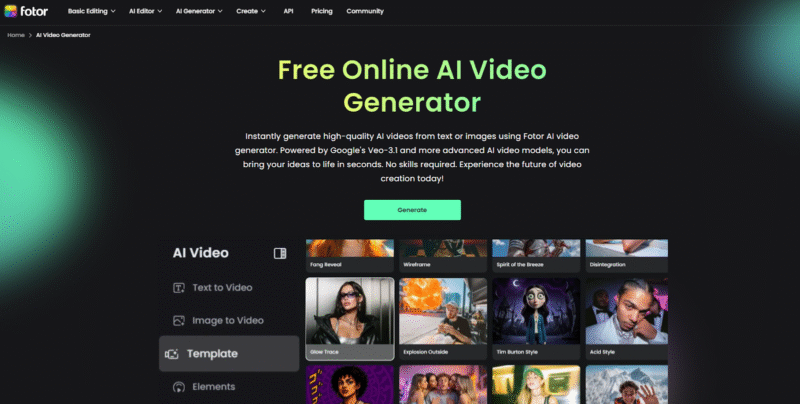
Videos have become necessary for people because they’re far more engaging, entertaining, and interactive than texts or images. However, producing a new video from scratch can be complicated, since it requires a script, footage, visual materials, and video editing expertise. That’s where AI video generators come in. There are various options on the market, but which one stands out for pro-level AI video generation? After testing several tools, I found that Fotor AI video generator is my top choice for creating videos with AI. Here, I’ll walk you through my experience with the extraordinary AI video-generating tool.
Fotor AI Video Generator lets you turn simple text prompts or images into short, polished videos in just a few clicks. You can choose from multiple AI models, styles, and templates to create vlogs, promos, tutorials, or social clips without any editing skills. Start with free credits, then upgrade to Pro or Pro+ if you need more HD exports and advanced options.
Table of Contents
What is Fotor AI Video Generator
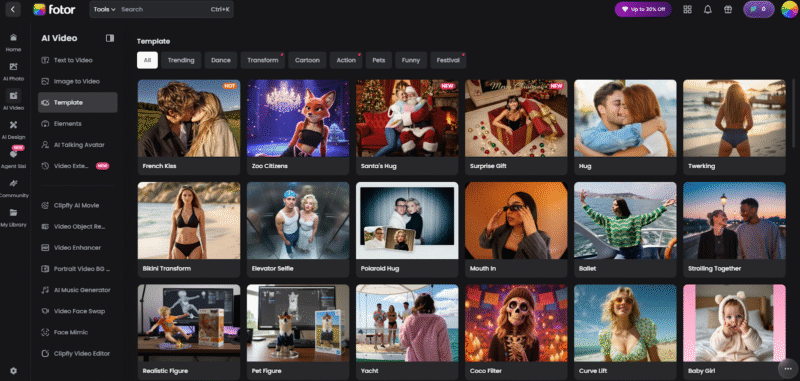
The Fotor AI video generator is a studio-level AI video creation tool that allows users to convert both text prompts and still images into AI videos with just a few clicks. With diverse AI models and video styles to choose from, it’s perfect for saving your time and energy by simplifying the complex video generation workflow and getting eye-catching AI videos for numerous purposes. No matter if you want an engaging YouTube vlog, teaching video, or other types of video clips, the versatile video AI generator covers it all.
The clear and bright interface makes it easy to locate the AI video maker and start your video creation without hassle. Besides, you don’t have to worry about the access issue, since you can work with the video generator AI tool on sites, as well as through apps on Windows, Mac, iOS, and Android.
Unlike traditional video generators, AI video creators enable people to turn their ideas into stunning video content with an advanced AI algorithm – no need for any video editing expertise or software installation. Simply input the texts or images, adjust a few settings, and you can make the video generator AI do the rest. You can even pair this with an AI image generator if you need visual assets before creating your video.
Main Features
✦ Text to Video Generation
The text-to-video generating mode can analyze the input text prompts and then generate studio-level videos according to the settings. It is the most suitable method for people who have ideas but don’t know how to start without any media editing skills. With simple steps, users can get satisfying AI videos effortlessly from texts using the practical and smart AI video creator.
What impresses me especially is the AI prompt enhancer, which helps to refine and optimize the image-generating prompts for even better AI video results. Additionally, the built-in AI background audio generator is also accessible for users to create custom video background sound effects or music from prompts.
| Setting | Options |
|---|---|
| Video Styles | Photography, cinematic, digital art, neonpunk |
| Aspect Ratio | 16:9, 9:16, 1:1, 4:3, 3:4, 21:9 |
| Definition | 480p, 720p, 1080p |
| Duration | 5s, 10s, 12s |
✦ Turn Image to Video
Another mode of AI video generation is transforming an image into a video with smooth motion while maintaining the key features of the original content. If one has an image and decides to animate it to an HD video, then this mode can be the most suitable selection. Not only for video editing professors, but it also enables anyone to convert an image to a dynamic video within minutes while ensuring the original image content is preserved.
There is also an “Enable Last Frame” video-producing option, with which you can precisely control the AI video content. The video generator AI analyses the uploaded first and last frames and prompts, outputting an AI video with a natural transition based on the customizable settings.
This AI video-generating mode is suitable for:
➤ Photographers who have a series of photos want to make videos from the current images.
➤ Business owners who aim to make brand promotion videos from the given images of their products.
➤ Online influencers tend to create eye-catching and trendy videos for a wider audience.
| Setting | Options |
|---|---|
| Video Styles | Ghibli style, mini figure, illustration art, game art style, anime 1, anime 2, pin-up |
| Definition | 480p, 720p, 1080p |
| Duration | 5s, 10s, 12s |
✦ Elements Combination
There is also an element combination function, with which users can combine elements they like in the uploaded images into a new AI video. With simple clicks, users can merge the elements of the images and export an AI video without waiting for a long time. It’s an ideal image-to-video generating mode for people who want to make a video from their current images while maintaining the wanted image elements.
AI Video Models Available on Fotor AI
To meet users’ distinguished requirements, the Fotor AI video generator offers a series of AI models for different AI video-making experiences. Whether you want a fast video-generating workflow, smooth motion, or cinematic video clips, you can find one that will make your ideas a reality.
Here are some of the popular AI models available on Fotor:
| AI Model | Duration | Definition | Key Feature |
|---|---|---|---|
| Seedance 1.0 Lite | 5–10s | 480p–1080p | Fast video generation and accurate motion. |
| Seedance 1.0 Pro | 5–10s | 480p–1080p | Cinematic videos with multi-shot storytelling. |
| Kling 2.5 Turbo | 5–10s | 1080p | Smoother dynamic motion and consistent visual style. |
| Seedance 1.0 Pro Fast | 5–12s | 480p–1080p | Multi-shot coherence with natural motion. |
| lively | 6–10s | 768p–1080p | Natural motion, infinite styles, micro-expression. |
| Veo 3.1 Fast | 4–8s | 720p–1080p | Rapid generation with visual consistency. |
| Sora 2 Pro | 4–12s | 720p–1080p | Cinematic visuals with pro-level shot control. |
On-Trend AI Video Templates
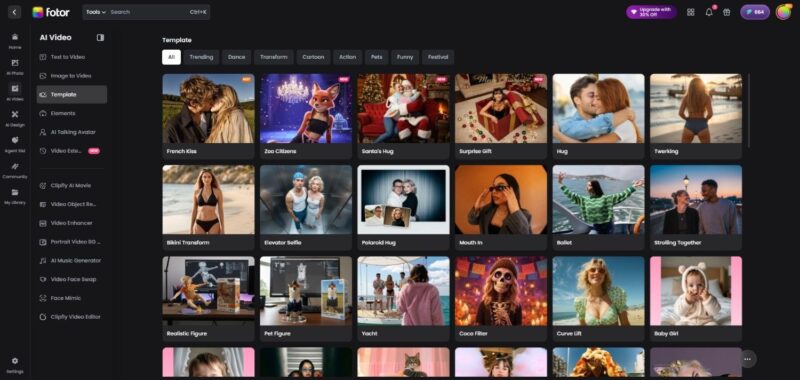
Not limited to text or image to video generation from scratch, Fotor also delivers a variety of ready-made AI video templates, allowing users to effortlessly convert their photos into entertaining AI videos without a prompt, and stay up-to-date with AI trends online. From romantic French kiss to lovely pet figure, abundant AI video template resources are here for immersive video generation.
| AI Video Template Categories | Templates included |
|---|---|
| Trending | French kiss, elevator selfie, zoo citizens, animate old photo, earth zoom-out, etc. |
| Dance | Belly dance, twerking, hip sway dance, drop it low, jiggle up, shake it dance, the Winner’s dance, ballet, etc. |
| Transform | Disintegration, realistic figure, glow trace, multiple me, bikini transform, squid game, etc. |
| Cartoon | Coco filter, emoji figure, Tim Burton style, Jojo style, etc. |
| Action | Strolling Together, mouth in, orbit rotation, cotton cloud, Polaroid hug, etc. |
| Pets | Pet Figure, paw princess, cheeky pet, pet belly dance, pet diving, woolly curl pet. |
| Funny | Baby girl/boy, pizza fall, yacht, curve life, money rain, baby arrived, etc. |
| Festival | Surprise gift, Santa’s hug, Christmas Transformation, ghost face, etc. |
Price Plan
Fotor AI offers a free trial for users, so they can generate stunning AI videos with the free credits. If you want to explore more advanced AI video-generating functions and fun AI video templates, then you can try the Pro and Pro+ versions for more credits.
Fotor Pro Version: Priced from $3.99 for 100 credits per month.
Fotor Pro+ Version: Start at $8.33 for 300 credits per month.
How to Work with Fotor AI Video Generator
Here are the steps on how to create a video with the Fotor AI video generator.
Step 1. Access the Fotor video AI generator and log in with an account.
Step 2. Choose the mode for AI video creation and set the details accordingly:
▶ Text to video: Select an AI model, add text prompts, choose a style, and set details.
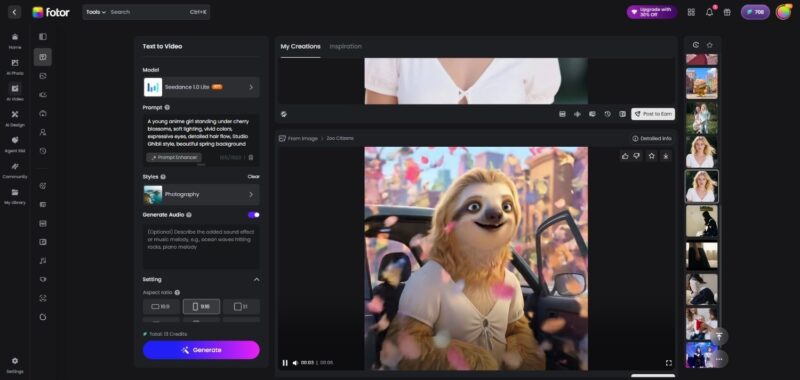
ALT: text to video mode of Fotor AI video generator
▶ Image to video: Choose a model, upload an image and prompts, select a video style, and customize the settings. You can try the “Enable Last Frame” to precisely control the output video content.
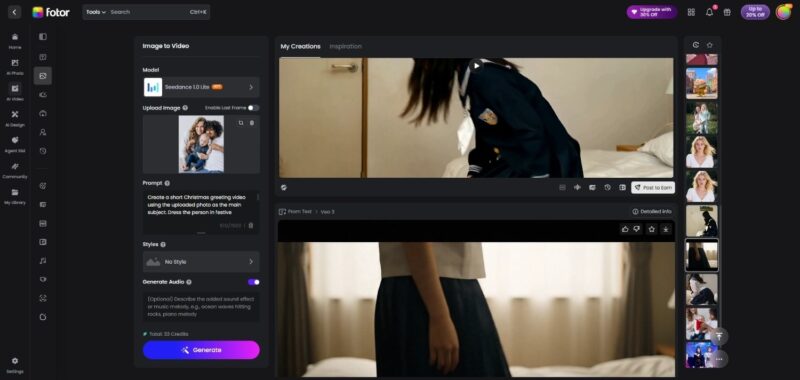
ALT: image to video mode of Fotor AI video generator
▶ Elements combination: Pick a model, add images (up to 3), prompts, and change the detailed settings.
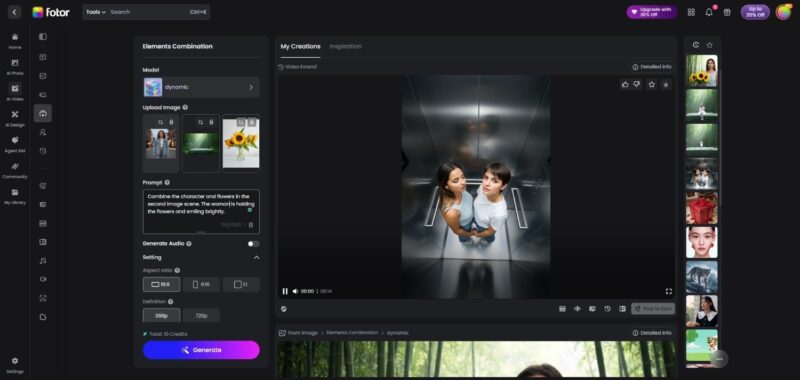
Step 3. Click “Generate” and wait for a while. The video generator AI will analyze the materials with the selected AI model and produce an AI video with high quality.
Pros & Cons
Pros:
✔︎ An intuitive and clear interface makes it easy for users to follow.
✔︎ Fast and efficient AI video generation workflow.
✔︎ It supports multiple modes to create AI videos, including Text to Video, Image to Video, and Elements Combination.
✔︎ The range of AI models to make videos for different requirements.
✔︎ Multiple video styles are available for users to get types of AI videos.
✔︎ Numerous AI video templates to convert images into the most trendy AI videos with just one click.
✔︎ Customizable options to fine-tune video settings.
✔︎ High-quality AI video production with low cost.
✔︎ Several AI video editors, such as Video Enhancer and Video Extend, are accessible to edit the generated AI videos for better results.
Cons:
✘ The Internet-based AI video generator cannot produce videos offline, and the results and speed of AI video generation are largely influenced by the Internet conditions.
Conclusion
Here marks the end of my review for the Fotor AI video generator. In the new era of AI-powered video creation, it has become a fast and easy task for anyone to make a video from scratch, even for a beginner. As a practical AI video maker, Fotor AI allows users to bring their ideas to life with multiple advanced AI models. Not limited to only one method for video generation, users can create an HD video from both texts and images on Fotor AI. If you tend to make high-quality AI videos in a short time but have no idea how to start, then Fotor video AI generator can be a worth-trying option. Try the Fotor AI for efficient and top-notch AI video generation.
What is Fotor AI Video Generator?
Fotor AI Video Generator is a studio-level AI tool that turns text prompts and still images into short, high-quality videos. You can choose different AI models, video styles, and aspect ratios, then let the tool handle motion, timing, and transitions for social media clips, ads, tutorials, and more.
Is Fotor AI Video Generator free to use?
Fotor offers free credits so you can test the AI video generator without paying. If you need more usage, you can upgrade to Fotor Pro starting around $3.99 per month for 100 credits or Fotor Pro+ starting around $8.33 per month for 300 credits, which unlocks more models, higher limits, and extra features.
What types of videos can I create with Fotor AI?
You can create text-to-video clips, image-to-video animations, and mixed “elements combination” videos that merge parts of multiple images. On top of that, Fotor includes on-trend AI video templates for dances, transformations, cartoons, pets, festival content, and more, so you can produce social-ready videos in just a few clicks.
Do I need video editing skills or powerful hardware to use Fotor AI?
No. Fotor AI Video Generator is designed for non-experts and runs in the cloud. You work in a simple web interface or app, choose a mode, paste your text or upload images, adjust a few settings, and click “Generate.” The AI handles the animation and compositing, and you can access it from Windows, Mac, iOS, or Android as long as you have a stable internet connection.
Which AI models does Fotor AI Video Generator support?
Fotor currently supports several AI video models, including Seedance 1.0 Lite and Pro, Seedance 1.0 Pro Fast, Kling 2.5 Turbo, lively, Veo 3.1 Fast, and Sora 2 Pro. Each model focuses on different strengths such as faster generation, smoother motion, multi-shot storytelling, or more cinematic visuals, so you can pick the best option for your project.
Can I use Fotor AI videos for social media or business content?
Yes. You can export Fotor AI videos and use them on platforms like YouTube, TikTok, Instagram, and in marketing campaigns or presentations. For any commercial use, make sure to review Fotor’s current terms and licensing so your usage fully complies with their policies.

Andrej Fedek is the creator and the one-person owner of two blogs: InterCool Studio and CareersMomentum. As an experienced marketer, he is driven by turning leads into customers with White Hat SEO techniques. Besides being a boss, he is a real team player with a great sense of equality.