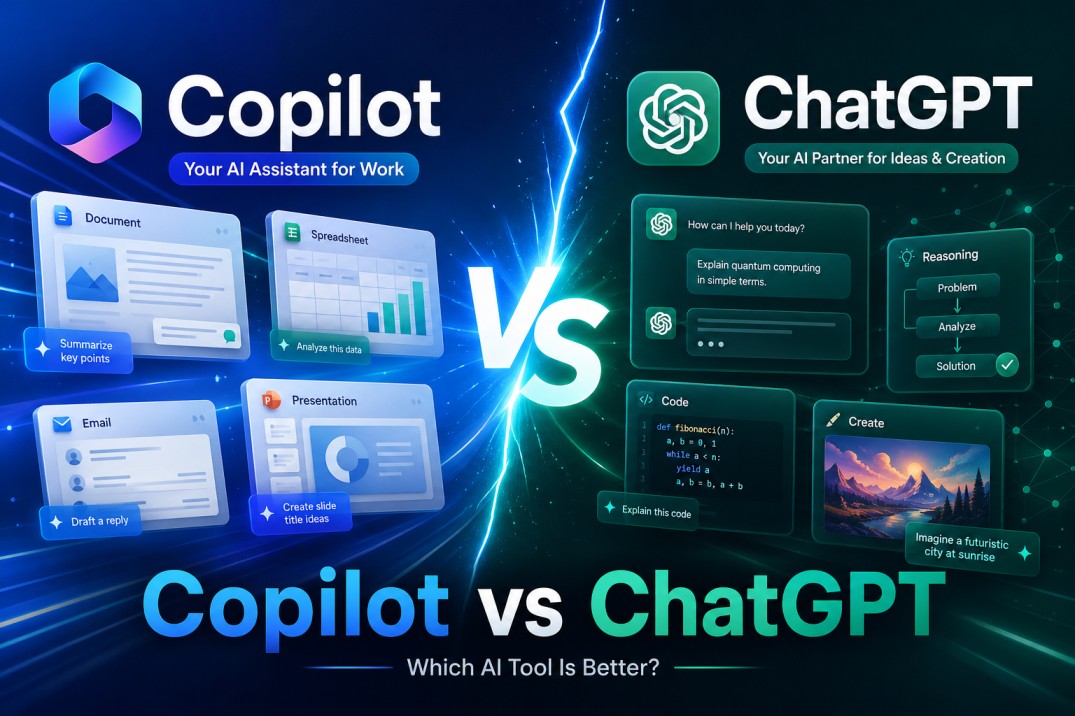
AI tools are no longer side experiments for people who like testing new software. They are now part of writing, research, coding, marketing, customer support, spreadsheets, meeting notes, and everyday business decisions. That is why the copilot vs chatgpt comparison matters. Both tools can answer questions, draft content, summarize information, and speed up routine work. But they are not built for the exact same type of user.
Microsoft Copilot is strongest when your work already lives inside Microsoft 365. ChatGPT is stronger when you want a more flexible AI assistant for writing, brainstorming, research, coding, analysis, creative work, and multi-step problem solving.
Copilot vs ChatGPT is mainly a choice between Microsoft 365 integration and broader AI flexibility. Copilot works best for users who need AI inside Word, Excel, Outlook, PowerPoint, and Teams, while ChatGPT is stronger for writing, research, coding, content creation, planning, and complex problem solving across different workflows.
Copilot vs ChatGPT: The Basic Difference
The simplest way to understand Copilot vs ChatGPT is this: Copilot is designed for Microsoft’s work ecosystem, while ChatGPT is a broader, general-purpose AI assistant.
Microsoft describes Microsoft 365 Copilot as an AI tool that works across apps such as Word, PowerPoint, Excel, Outlook, Teams, Loop, and other Microsoft 365 products. It also includes Copilot Chat for eligible users.
ChatGPT, on the other hand, is built around conversation, reasoning, writing, file analysis, image generation, coding, research, custom GPTs, projects, memory, and agent-style workflows depending on the plan. OpenAI’s current ChatGPT plans include Free, Go, Plus, Pro, Business, and Enterprise options.
So the first question is not “Which AI is smarter?” The better question is: where do you work?
If your workday is built around Microsoft apps, Copilot may feel more natural. If your work spans documents, websites, code, strategy, content, data, and various tools, ChatGPT often feels more flexible.
Copilot vs ChatGPT Comparison
| Category | Microsoft Copilot | ChatGPT |
|---|---|---|
| Best for | Microsoft 365 users, office workflows, emails, meetings, spreadsheets, documents, and presentations. | Writing, research, coding, brainstorming, analysis, planning, creative work, and flexible business tasks. |
| Main strength | Deep connection with Microsoft apps and workplace files. | Flexible reasoning, content creation, file work, custom GPTs, projects, and broader problem solving. |
| Office apps | Very strong inside Word, Excel, PowerPoint, Outlook, and Teams. | Useful for office-style tasks, but not as deeply embedded in Microsoft 365 apps. |
| Writing quality | Good for business emails, document edits, and workplace summaries. | Usually stronger for long-form content, tone control, rewriting, ideation, and editorial work. |
| Research | Good when grounded in Microsoft 365 and web-connected work context. | Strong for flexible research, source comparison, explanations, and structured analysis. |
| Coding | Useful, especially in Microsoft workflows, but GitHub Copilot is the more developer-focused Microsoft tool. | Strong for debugging, explaining code, building scripts, creating apps, and technical problem solving. |
| Best choice | Choose Copilot if your company already runs on Microsoft 365. | Choose ChatGPT if you want one flexible AI assistant across many types of work. |
Where Microsoft Copilot Wins
Copilot wins when the work is already inside Microsoft’s ecosystem.
If you are writing reports in Word, preparing decks in PowerPoint, managing emails in Outlook, analyzing spreadsheets in Excel, or catching up on meetings in Teams, Copilot has a natural advantage. It can sit closer to the actual work instead of waiting for you to copy and paste everything into a separate chat window.
Microsoft has also been expanding Copilot with more workplace features. Recent Microsoft 365 Copilot updates include meeting video recaps, Researcher improvements, Notebooks updates, AI in SharePoint, audio recaps in more languages, Excel workbook improvements, citations in Word, and formatting support in PowerPoint.
That matters for businesses because productivity is often lost in tiny transitions. Finding a file, summarizing a thread, checking a meeting, turning notes into a document, and formatting a presentation can each take only a few minutes. But together, they create a large amount of invisible admin work.
In this part of the copilot vs chatgpt debate, Copilot has the cleaner workflow for Microsoft-heavy companies.
A manager can ask Copilot to summarize emails. A salesperson can use it to prepare a follow-up. A finance team can use it to work inside Excel. A project lead can use it to catch up on a Teams meeting. The value is not only the AI model. The value is where the AI appears.
Where ChatGPT Wins
ChatGPT wins when the task is less tied to one software suite.
If you need to write a blog post, create a content brief, analyze a PDF, build a spreadsheet formula, debug code, compare tools, plan a campaign, create social posts, generate ideas, rewrite a landing page, or think through a business strategy, ChatGPT often feels more natural.
The copilot vs chatgpt choice becomes clearer when you look at how broad the work is. ChatGPT is not just an office assistant. It is closer to a general thinking partner that can move between writing, coding, research, planning, and analysis.
OpenAI’s ChatGPT Plus plan includes advanced reasoning, expanded uploads, more complex image creation, deep research and agent mode, expanded memory and context, projects, tasks, custom GPTs, and expanded Codex usage.
That makes ChatGPT especially useful for creators, marketers, founders, developers, analysts, students, consultants, and small teams that do many different types of work in the same day.
It is also strong for tone. You can ask for a more direct voice, a warmer voice, a more professional voice, a less robotic rewrite, a shorter version, a more persuasive version, or a version aimed at a specific audience.
For content teams, this is a major advantage. ChatGPT is often better at turning rough ideas into polished structure. It can help with intros, outlines, titles, comparison tables, FAQs, summaries, meta descriptions, schema, internal linking ideas, and editorial cleanup.
Copilot vs ChatGPT for Writing
For writing, ChatGPT usually has the edge.
Copilot is useful for emails, workplace documents, summaries, and editing inside Microsoft apps. If you already have a Word document open, Copilot can help you improve it without leaving the page.
But ChatGPT is stronger when writing is the main task rather than a side task. It gives more room for direction, voice, structure, examples, rewrites, and content strategy.
For example, a marketer can use ChatGPT to create a full blog outline, rewrite weak sections, generate a comparison table, improve the introduction, suggest meta descriptions, and create FAQs. A business owner can use it to draft landing page copy, explain a product, or turn scattered thoughts into a clear sales page.
In the copilot vs chatgpt writing comparison, Copilot is convenient. ChatGPT is more versatile.
Copilot vs ChatGPT for Research
Research is more balanced.
Copilot has a clear advantage when the research involves company files, emails, meetings, and Microsoft 365 context. If your question depends on internal documents or recent team discussions, Copilot can be useful because it is designed to work inside that environment.
ChatGPT is better when the research requires broader thinking. It can compare sources, explain complex topics, simplify technical ideas, create summaries, and turn research into usable content.
For example, if you ask, “What did we decide in last week’s Teams meeting?” Copilot may be the better tool. If you ask, “Compare these three SaaS tools and turn the findings into a buyer’s guide,” ChatGPT may be the better tool.
That is the practical heart of copilot vs chatgpt for research. Copilot is stronger for the internal Microsoft work context. ChatGPT is stronger for flexible analysis and content development.
Copilot vs ChatGPT for Excel and Data
Copilot has a strong advantage in Excel.
If your work is based on spreadsheets, Microsoft 365 Copilot can help with formulas, summaries, tables, and workbook analysis directly where the spreadsheet lives. Microsoft has also highlighted improvements around Excel workbook editing and Work IQ context.
ChatGPT can still help with Excel. It can write formulas, explain errors, create spreadsheet logic, clean CSV files, suggest pivot table structures, and help analyze uploaded data. But it is not the same as having the assistant embedded directly inside Excel.
So if your daily work is spreadsheet-heavy, Copilot may feel more practical. If you only need occasional formula help, ChatGPT is usually more than enough.
Copilot vs ChatGPT for Coding
For coding, ChatGPT is often the better general assistant, while GitHub Copilot is the more direct Microsoft coding product.
This distinction matters because people often mix up Microsoft Copilot and GitHub Copilot. Microsoft Copilot is the AI assistant across Microsoft products. GitHub Copilot is the coding assistant built for developers.
In the copilot vs chatgpt comparison, ChatGPT is strong for explaining code, debugging errors, writing scripts, building small tools, creating HTML/CSS/JS blocks, analyzing logic, and helping users understand why something is broken.
For developers working inside an IDE, GitHub Copilot may be more convenient. But for broader technical thinking, ChatGPT remains extremely useful because it can explain, plan, rewrite, test logic, and connect code to business goals.
Copilot vs ChatGPT for Business Teams
Business teams should not choose based only on which tool sounds more advanced. They should choose based on workflow.
A company already paying for Microsoft 365 may get more immediate value from Copilot because it fits naturally into existing apps. Teams do not need to change their habits as much. The AI appears inside the tools they already use.
Microsoft says Microsoft 365 Copilot includes access to Copilot Chat and works with Word, PowerPoint, Excel, Outlook, Teams, Loop, and other Microsoft 365 apps.
ChatGPT is better for teams that need a flexible AI layer across many types of work. Marketing, product, engineering, operations, SEO, customer support, and leadership teams can all use it differently.
ChatGPT is better for teams that need a flexible AI layer across many types of work. Marketing, product, engineering, operations, SEO, customer support, and leadership teams can all use it differently. OpenAI has also reported strong business adoption of ChatGPT, showing how companies are using AI across daily workflows, internal productivity, and team operations. Read OpenAI’s business adoption update.
OpenAI’s business pricing page says paid plans such as Plus, Pro, Business, and Enterprise are priced per user per month, with monthly plans for Plus, Pro, and Business, and annual plans for Business.
So the business question is not only “Which one is cheaper?” It is “Which one removes more friction from the work we already do?”
Copilot vs ChatGPT Pricing
Pricing changes over time, so always check the official pricing pages before buying.
| Plan Type | Microsoft Copilot | ChatGPT | Best Value For |
|---|---|---|---|
| Free / Included | Microsoft 365 Copilot Chat may be included for eligible Microsoft 365 business and enterprise users, but it has limited capabilities compared with the paid Copilot license. | ChatGPT Free is available for everyday AI tasks, with limited access to advanced models, uploads, image generation, deep research, memory, context, and Codex. | Casual users who want to test AI before paying. |
| Individual Paid | Copilot can be used with eligible Microsoft 365 Personal or Family subscriptions, and Microsoft also offers consumer Copilot upgrades depending on region and account type. | ChatGPT Plus is the main individual paid plan for users who want stronger reasoning, more uploads, image creation, projects, tasks, custom GPTs, and expanded tools. | ChatGPT Plus usually offers stronger value for individual creators, writers, marketers, students, and freelancers. |
| Small Business | Microsoft 365 Copilot Business is priced as a per-user add-on and requires a qualifying Microsoft 365 plan. Microsoft lists monthly and annual commitment options. | ChatGPT Business is priced per user per month and is designed for secure team workspaces, collaboration, business tools, and access to advanced ChatGPT features. | Copilot is better if the team lives in Microsoft 365. ChatGPT is better if the team needs flexible AI across marketing, SEO, research, support, coding, and operations. |
| Enterprise | Microsoft 365 Copilot is built for companies that need AI inside Microsoft apps, workplace files, meetings, emails, admin controls, compliance, and enterprise security. | ChatGPT Enterprise is built for larger organizations that need advanced AI access, security controls, team management, higher limits, and enterprise-grade deployment. | Larger companies should compare both based on existing software stack, security requirements, data access, admin controls, and employee workflow. |
| Practical Verdict | Best value when Microsoft 365 is already the center of the company’s daily work. | Best value when users need one flexible AI assistant for many types of work beyond office apps. | Copilot wins on Microsoft integration. ChatGPT wins on flexibility. |
Copilot pricing depends on whether you are an individual, a Microsoft 365 user, a business user, or an organization using Microsoft 365 Copilot. Microsoft also offers Copilot Chat for eligible Microsoft 365 business and enterprise customers, while Microsoft 365 Copilot adds deeper app integration.
ChatGPT has several plan levels, including Free, Go, Plus, Pro, Business, and Enterprise. The Plus plan is aimed at users who want more advanced capabilities, while Pro is designed for people who rely heavily on AI for complex work.
For individuals, ChatGPT is often the simpler purchase. For companies already built around Microsoft 365, Copilot may be easier to justify because it improves tools employees already use.
Which One Should You Choose?
Choose Copilot if most of your work is done in Microsoft 365. It is especially useful for Outlook, Word, Excel, PowerPoint, Teams, meeting summaries, and internal work documents.
Choose ChatGPT if you want a broader AI assistant that can help with writing, research, content creation, code, strategy, planning, analysis, and creative tasks.
For many users, the honest answer to copilot vs chatgpt is not one or the other. It is both.
Copilot can be the assistant inside your office suite. ChatGPT can be an assistant for deeper thinking, content, research, technical work, and creative production.
A company might use Copilot for internal productivity and ChatGPT for marketing, product research, SEO, content operations, coding support, and strategic analysis. A freelancer might use ChatGPT every day and only use Copilot when working with Microsoft documents. A corporate team might do the opposite.
Final Verdict: Copilot vs ChatGPT
The best AI tool is the one that fits the work you actually do.
Copilot is better for Microsoft 365 productivity. It is a strong choice for companies that live in Outlook, Teams, Word, Excel, and PowerPoint.
ChatGPT is better for flexible, cross-functional work. It is stronger for writing, brainstorming, research, coding, content strategy, problem-solving, and custom workflows.
So the final copilot vs chatgpt answer is simple: Copilot is the better Microsoft 365 assistant, while ChatGPT is the better general-purpose AI assistant.
If your work is mostly inside Microsoft apps, start with Copilot. If your work is broader, creative, technical, or content-heavy, start with ChatGPT. If your team can use both effectively, they can complement each other rather than compete.
Is Copilot better than ChatGPT?
Copilot is better than ChatGPT for users who work mainly inside Microsoft 365 apps such as Word, Excel, Outlook, PowerPoint, and Teams.
ChatGPT is usually better for broader writing, research, coding, content creation, planning, and problem solving across different tools.
What is the main difference between Copilot and ChatGPT?
The main difference is workflow. Copilot is built around Microsoft 365 integration, while ChatGPT is built as a flexible AI assistant for many types of tasks.
Copilot works best inside Microsoft apps, while ChatGPT works well across writing, research, coding, strategy, analysis, and creative projects.
Is ChatGPT better than Copilot for writing?
ChatGPT is usually better for long-form writing, rewriting, content planning, tone control, blog posts, marketing copy, and creative drafting.
Copilot is still useful for business emails, document edits, summaries, and writing tasks that happen directly inside Microsoft 365 apps.
Which is better for business, Copilot or ChatGPT?
Copilot is often better for businesses that already rely heavily on Microsoft 365 because it fits into Outlook, Teams, Word, Excel, and PowerPoint.
ChatGPT is often better for teams that need flexible help with research, marketing, SEO, coding, support, planning, and content workflows.
Can ChatGPT replace Microsoft Copilot?
ChatGPT can replace Copilot for many general AI tasks such as writing, research, coding help, brainstorming, and content creation.
It may not fully replace Copilot if you need AI directly inside Microsoft 365 apps and connected to your workplace files, emails, meetings, and documents.

Andrej Fedek is the creator and one-person owner of three blogs: InterCool Studio, CareersMomentum, and Bettegi. As an experienced marketer, he is driven by turning leads into customers with White Hat SEO techniques. Besides being a boss, he is a real team player with a great sense of equality.